
Planning to shrink a 120 GB Windows OS partition to 80 GB, but struggling to recall any reliable partition managers? We have highlighted the names of some of the best free Partition Manager software for Windows 11/10 in this post and briefly described each. While many may prefer to use the built-in Disk Management Tool, there are some who may want to use third-party software offering more features. We have already covered all of these topics on our site, but we are now consolidating them in one post for easy reference.
Best free Partition Managers for Windows 11
Here are some of the best free Disk and Partition Manager software for Windows 11/10 that will help you resize disk, create partitions, extend, shrink, manage, format disks, and more!
- EaseUs Partition Master Free Edition
- Paragon Partition Manager
- Partition Wizard
- AOMEI Partition Assistant Home Edition
- Wondershare Disk Manager Free
- MiniTool Partition Wizard Home Edition
- PartitionGuru/DiskGenius
- Macrorit Disk Partition Expert
- NIUBI Partition Editor.
1] EaseUs Partition Master Free Edition
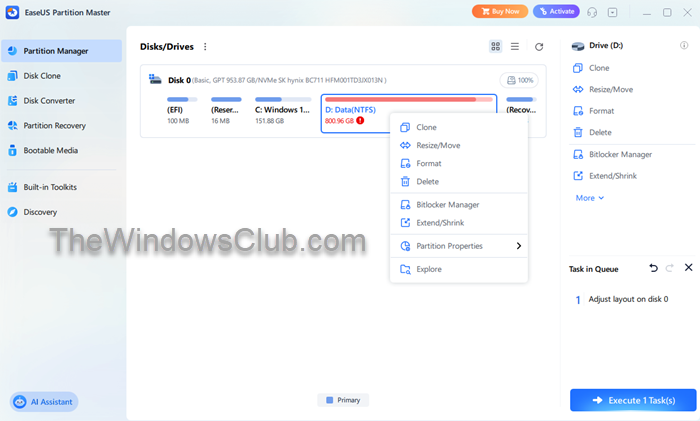
Earlier known as EaseUs Partition Manager, EaseUs Partition Master Free is ALL-IN-ONE partition solution and disk management software that allows you to extend partition (especially for system drive) and manage disk space easily.
The comprehensive free hard disk partition management utility contains no adware or toolbars. EaseUS Partition Master Home Edition allows you to perform various functions, including resizing and moving partitions, creating, deleting, and formatting partitions, hiding and unhiding partitions, and more.
Its Migrate OS and Clone feature allows you to move/copy system partitions or entire hard disks to another system without reinstalling Windows.
You can also use freeware to dual-boot Windows 11 and Windows 10.
2] Paragon Partition Manager
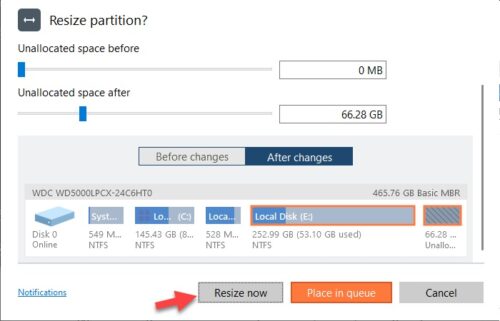
Paragon Partition Manager includes step-by-step wizards that make it easy for any user the process of creating, managing and reorganizing hard drive partitions fairly quickly and safe. Its powerful features easily organize your hard drive and redistribute free space to enhance system performance.
The main highlight of the program is its ingenious engine, which, along with built-in advanced recovery features, enables the secure execution of partitioning operations, optimization of NTFS and FAT file systems, and migration of the system to another hard disk without risking the loss of valuable data.
3] AOMEI Partition Assistant Home Edition
AOMEI Partition Assistant Home Edition hard disk partition manager can resize and move partition, extend system drive, merge partitions, copy partitions and allocate free space. It includes a built-in Extend Partition Wizard that lets you extend the system partition without rebooting.
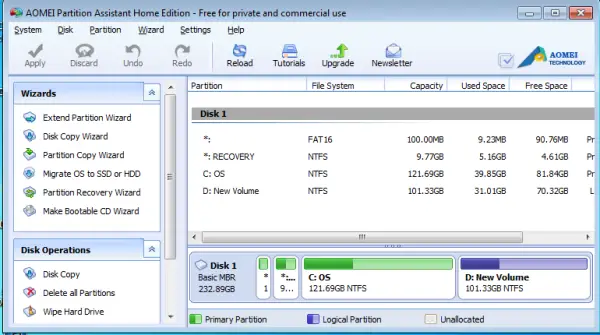
Like most others, it is also compatible with both 32-bit & 64-bit versions of the Windows operating system, including Windows 11/10.
4] Wondershare Disk Manager Free
Wondershare Disk Manager is a handy tool for managing disks and partitions. It lets you create, delete, copy, and recover partitions. When in operation, it helps you allocate disk space and restructure your hard disk for maximum use. Its Wizard mode and Expert mode separately make both novice and expert users manage partitions with great ease.
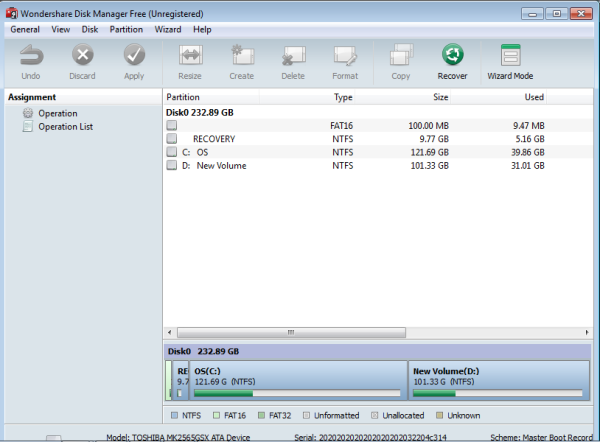
WonderShare provides a free key code, which you can use to activate the program and enjoy its full functionality.
5] MiniTool Partition Wizard Home Edition
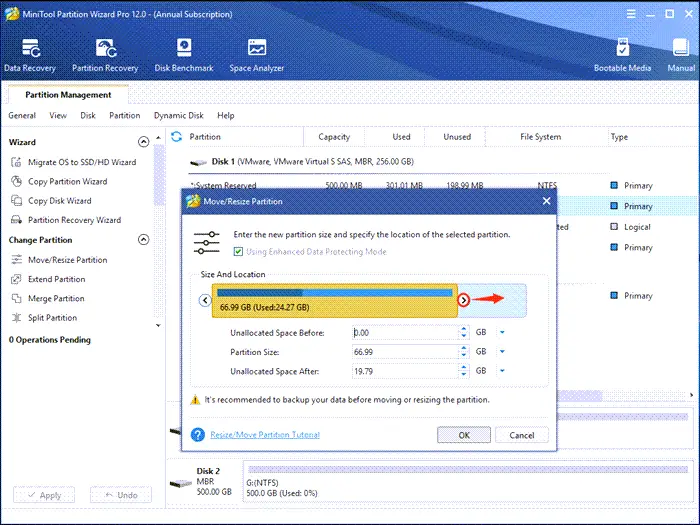
Mini Tool Partition Wizard is a Windows-based server partition manager software that helps home users, Professional users, and system administrators to easily perform partition operations. The partitioning process is quick and secure; your data is protected even in the event of misfortune, such as a power outage or hardware failure.
Home users can perform complex partition operations with this powerful partition manager to manage their hard disks. Using this freeware, you can resize, copy, create, delete, format, convert, explore, hide, change drive letters, set active partitions and perform Partition Recovery, if required.
MiniTool Partition Wizard Home Edition lets you resize partitions, copy partitions, create partitions, Extend Partitions, Split Partitions, Delete partitions, Format partitions, convert partitions, explore partitions, hide partitions, Change drive letter, set active partition and reorder partitions.
6] DiskGenius
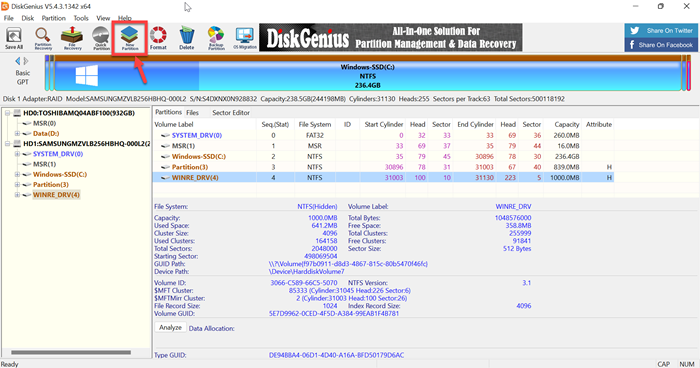
DiskGenius features a simple interface and easy-to-use tools. The main window supports easy navigation. When launched, PartitionGuru thoroughly scans the user’s computer and lists all existing partitions, including Primary and Extended drives. It also furnishes statistical information about the drive.
7] Macrorit Disk Partition Expert
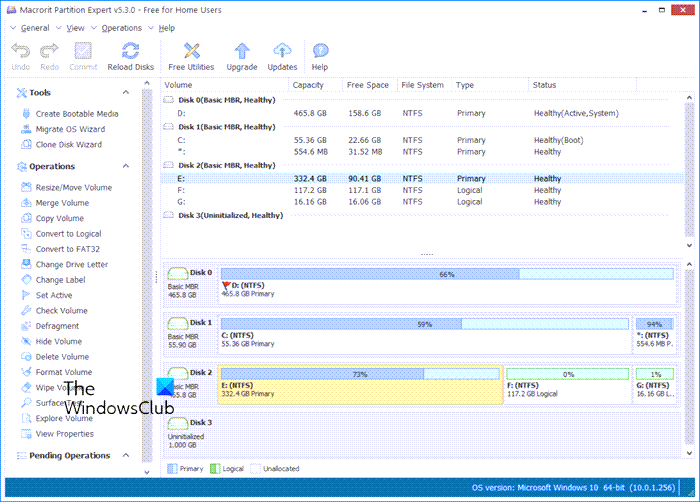
Macrorit Disk Partition Expert is a powerful, free partitioning program that enables you to extend, create, and format partitions, resolve low disk space issues, and manage disk space easily on MBR and GPT (GUID Partition Table) disks.
8] NIUBI Partition Editor
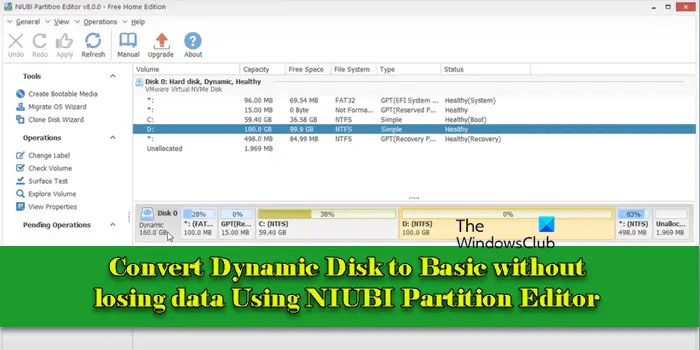
NIUBI Partition Editor is partition management software that offers a range of features for managing disk partitions and volumes on Windows 11/10 PCs. It allows you to change how the disk is structured and managed by the operating system directly through its interface, without manual reconfiguration.
Let us know which one is your favorite!
